


Table of Contents
ToggleA security system is only as reliable as its power source. When the grid goes down during a storm or a burglar cuts your external wiring, your alarm system’s backup battery becomes the sole line of defense between your home and an intruder. Yet most homeowners don’t think about these batteries until their panel starts beeping at 2 a.m. Understanding which battery your system uses, how long it lasts, and when to replace it isn’t optional, it’s essential to maintaining true home security. This guide covers everything from battery chemistry to replacement procedures, so your system stays armed when you need it most.
Key Takeaways
- Alarm system batteries are critical for maintaining home security during power outages, as they enable continuous protection and alert transmission when grid power fails.
- Sealed lead-acid (SLA) batteries in control panels typically last 3-5 years, while lithium sensor batteries last 3-7 years depending on usage and environmental conditions.
- Replace alarm system batteries proactively every 3-4 years rather than waiting for failure, and replace all sensor batteries in similar devices at once for efficiency.
- Low-battery alerts, swelling on SLA batteries, or reduced backup runtime are clear signs your alarm system battery needs immediate replacement.
- Test your backup battery twice yearly by unplugging AC power and running the system on battery for an hour to ensure reliable operation when needed most.
- Keep your control panel in a climate-controlled space and inspect terminals for corrosion during maintenance to extend battery lifespan and charging efficiency.
Why Alarm System Batteries Are Critical for Home Security
Most hardwired alarm systems draw their primary power from your home’s electrical panel. That’s convenient, until it isn’t. Power outages, whether from storms, grid failures, or deliberate tampering, render a battery-free system useless. Professional burglars know this and may cut power before attempting entry.
Backup batteries provide continuous protection during outages, typically keeping systems operational for 4 to 24 hours depending on capacity and system draw. Wireless sensors, keypads, and cellular communicators all rely on this reserve power. Without a functioning battery, your system can’t send alerts to your monitoring service or your phone.
Many jurisdictions require backup power for monitored alarm systems under local building or fire codes. Even if not mandated, it’s a practical necessity. A dead battery turns a $500 security investment into an expensive doorbell. Regular testing and timely replacement ensure your system remains functional when the stakes are highest.
Types of Batteries Used in Home Alarm Systems
Alarm systems use several battery chemistries, each with distinct characteristics. Knowing which type your system requires prevents compatibility issues and premature failure.
Sealed lead-acid (SLA) batteries are the workhorses of hardwired alarm panels. These 12-volt rechargeable batteries typically range from 4 to 18 amp-hours (Ah) and sit inside the main control panel. They’re inexpensive, reliable, and widely available. SLA batteries handle repeated charge-discharge cycles well but are sensitive to temperature extremes.
Lithium batteries appear in modern wireless sensors and some newer control panels. They’re lighter, last longer per charge, and tolerate temperature swings better than SLA batteries. But, they cost significantly more upfront. 3-volt CR123A and AA lithium cells power most door/window sensors and motion detectors.
Alkaline batteries serve as budget alternatives in wireless components, though they don’t last as long as lithium options. Some homeowners keep alkaline 9-volt or AA batteries on hand for quick sensor replacements, but performance research shows lithium options outperform alkaline in both longevity and reliability.
Control panel batteries aren’t interchangeable with car batteries, even though similar voltage. Alarm batteries use a different discharge profile and include built-in safety features for indoor use. Always match the manufacturer’s specified battery type, voltage, and amp-hour rating. Using an undersized battery shortens backup time: oversizing can damage charging circuits not designed for higher capacity.
How Long Do Alarm System Batteries Last?
Battery lifespan depends on chemistry, usage patterns, and environmental conditions. Plan for replacement intervals, not indefinite service.
SLA control panel batteries typically last 3 to 5 years under normal conditions. Systems that experience frequent power outages cycle batteries more often, accelerating wear. A panel that loses power weekly may need replacement after just 2 years.
Lithium sensor batteries often last 3 to 7 years, with actual longevity tied to how often the sensor triggers. A door sensor on a guest room door lasts longer than one on a busy front entrance. Temperature also matters, batteries in unheated garages or hot attics deplete faster.
Alkaline batteries in sensors usually need replacement every 1 to 2 years, sometimes sooner in high-traffic areas.
Backup runtime, how long a fully charged battery keeps your system running during an outage, is separate from lifespan. A typical 7 Ah SLA battery powers a basic alarm panel for 12 to 24 hours without AC power. Adding wireless devices, keypads, and cellular communicators increases draw and reduces runtime. Systems with integrated cameras or smart home features may only run 4 to 8 hours on battery backup.
Manufacturers like those behind monitored home security systems often specify minimum backup times in product documentation. Check your system’s specifications to understand expected runtime, then test annually to confirm the battery still meets that standard.
Signs Your Alarm System Battery Needs Replacement
Don’t wait for total failure. Alarm systems usually provide advance warning when batteries decline.
Low battery alerts are the most obvious sign. Your keypad displays a warning message, icon, or trouble light. Many systems also emit periodic beeps, often that infamous 2 a.m. chirp. Don’t silence the alert and forget it: address the underlying issue.
Shorter backup runtime indicates declining capacity. If your system previously ran 20 hours on battery but now dies after 8, the battery has lost effective capacity even if it still accepts a charge.
Physical swelling or bulging on SLA batteries signals internal damage and imminent failure. A swollen battery should be replaced immediately, it’s a safety hazard. Leaking acid or corrosion around terminals also demands urgent replacement.
Frequent low-battery warnings shortly after AC power is restored suggest the battery no longer holds a charge. This is common in batteries approaching the end of their service life.
Age alone is sufficient reason for replacement. Even if a 5-year-old SLA battery seems functional, its capacity has degraded. Replace control panel batteries proactively every 3 to 4 years, and sensor batteries based on manufacturer recommendations or monitoring alerts. Many systems with backup power considerations benefit from scheduled maintenance rather than reactive replacement.
How to Replace Your Alarm System Battery (Step-by-Step)
Replacing an alarm system battery is straightforward but requires care. Improper installation can damage your panel or create a fire hazard.
Safety First
Wear safety glasses when handling SLA batteries, they contain sulfuric acid. Work in a well-ventilated area and keep baking soda nearby to neutralize any accidental spills.
Tools and Materials Needed
- Replacement battery (match voltage, Ah rating, and terminal type)
- Screwdriver (typically Phillips-head)
- Rubber gloves (optional but recommended)
- Notepad (to record any system codes or settings)
Replacement Steps
-
Notify your monitoring company if you have professional monitoring. Opening the panel may trigger a tamper alert. Request a service window to avoid false dispatches.
-
Disarm the system completely. Enter your master code to ensure the system is not armed.
-
Disconnect AC power. Unplug the transformer from the wall outlet or switch off the dedicated breaker. Your system will switch to battery power.
-
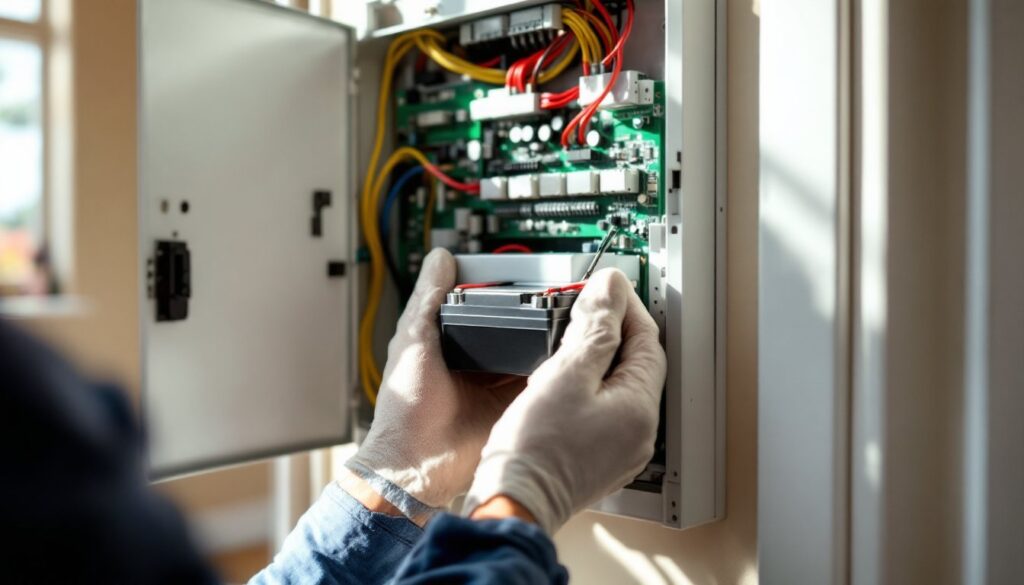
Open the control panel. Remove the cover using the appropriate screwdriver. Some panels use security screws requiring a special bit.
-
Disconnect the old battery. Note wire colors and terminal positions, red to positive (+), black to negative (−). Some batteries use spade connectors: others use screw terminals. Pull connectors straight off: don’t twist or rock them.
-
Remove the old battery. Lift it out carefully. SLA batteries weigh 3 to 10 pounds depending on capacity.
-
Install the new battery. Place it in the same orientation. Connect the positive lead first, then negative. Ensure connections are snug but don’t overtighten screw terminals.
-
Restore AC power. Plug the transformer back in or flip the breaker. The panel should power up and begin charging the new battery.
-
Clear any error codes. Your system may display a low-battery or tamper alert. Consult your manual for the specific reset procedure, usually entering the installer or master code followed by a sequence.
-
Test the system. Arm and disarm to verify normal operation. Trigger a sensor to confirm monitoring signals are transmitting.
Disposal
SLA batteries are recyclable hazardous waste. Don’t toss them in household trash. Most auto parts stores, home improvement centers, and battery retailers accept them for free recycling. Some municipalities offer hazardous waste collection events.
For systems with wired components, understanding wired alarm installations helps contextualize where batteries fit in the power architecture.
Tips for Maintaining and Extending Battery Life
Proactive maintenance extends battery life and ensures reliable performance. Small habits make a measurable difference.
Test your backup battery twice a year. Unplug the transformer and let the system run on battery for an hour. Check that all functions work normally and note how long the battery lasts. Mark test dates on your calendar or set phone reminders.
Keep the control panel in a climate-controlled space. Extreme heat or cold accelerates battery degradation. Panels in unheated basements, attics, or garages face harsher conditions. If relocation isn’t possible, insulate the panel enclosure or add ventilation to reduce temperature swings.
Ensure proper charging voltage. Most alarm panels use a trickle-charge system to maintain SLA batteries. A failing transformer can undercharge or overcharge the battery, shortening its life. If you replace the battery and it fails prematurely, have a technician test the panel’s charging circuit.
Replace sensor batteries proactively. Don’t wait for low-battery alerts. When you install fresh batteries in one sensor, replace them in all similar devices. Bulk replacement is more efficient than responding to individual alerts over several months.
Avoid deep discharges. Repeatedly draining an SLA battery below 50% capacity reduces total lifespan. If your area experiences frequent outages, consider a battery with higher amp-hour capacity to reduce discharge depth. Understanding principles behind wired security systems can help identify power demands.
Check terminals for corrosion. During battery tests, inspect connectors and terminals. White or green residue indicates corrosion, which increases resistance and reduces charging efficiency. Clean terminals with a wire brush and apply a thin layer of dielectric grease.
Update firmware and reduce unnecessary features. Some panels allow you to disable audible confirmations, keypad backlighting, or other features that draw extra power. Check manufacturer settings, small tweaks can extend runtime.
Systems from providers like ADT installations or Ring alarm setups often include battery health monitoring via apps. Use these tools to track battery status in real time and catch problems early. Leveraging modern security technology keeps maintenance straightforward and prevents surprises.
Conclusion
Alarm system batteries are the silent guardians of home security, doing their job only when everything else fails. Regular testing, timely replacement, and proper maintenance turn a potential weak point into a reliable failsafe. Mark your calendar for biannual tests, replace batteries on a schedule rather than waiting for failure, and keep spares on hand for wireless sensors. Your security system is only as strong as its weakest link, don’t let that link be a $30 battery you forgot to replace.