

Table of Contents
ToggleHome security has evolved far beyond clunky wired panels and false alarms that wake the neighborhood. Today’s DIY systems promise professional protection without the long-term contracts or installation fees. The Cove alarm system has emerged as a wireless option aimed at homeowners who want control without compromising reliability. This guide breaks down what Cove offers, how it installs, what it costs, and how it stacks up against other DIY competitors. Whether you’re upgrading from a basic deadbolt or replacing an outdated system, understanding Cove’s technology and trade-offs helps you make an well-informed choice.
Key Takeaways
- The Cove alarm system offers wireless, contract-free security with professional 24/7 monitoring and cellular backup, making it ideal for homeowners prioritizing flexibility and reliability.
- Installation takes 60–90 minutes with pre-paired sensors and no network configuration required, though correct sensor placement is critical to avoid false alarms.
- Monthly monitoring costs range from $17.99 to $27.99, and equipment starts around $300 for a basic package, with expandable sensor options at $25–$70 each.
- Cove uses dual-path connectivity (cellular via AT&T and Wi-Fi) to eliminate single points of failure, an advantage over Wi-Fi-only systems like Ring Alarm.
- The Cove alarm system lacks deep smart home integration with third-party platforms like Nest and Philips Hue, so it’s best suited for dedicated security rather than full home automation.
- Compared to SimpliSafe and Ring, Cove excels in monitoring quality and cellular reliability, but offers fewer customization options and less robust hardware construction.
What Is the Cove Alarm System?
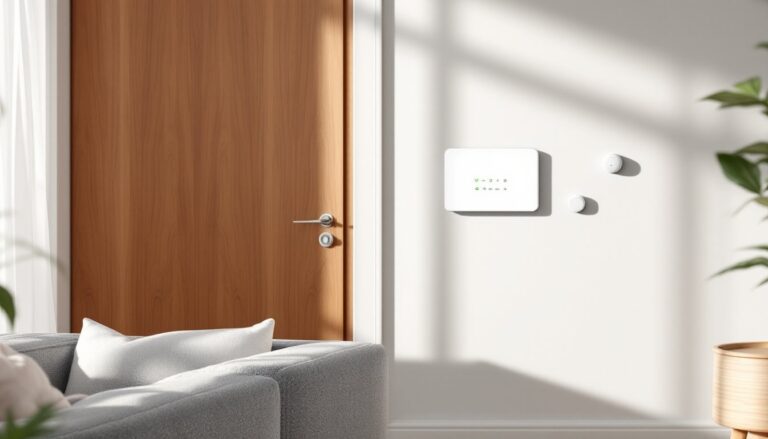
Cove is a wireless home security system designed for DIY installation and professional 24/7 monitoring. Unlike traditional hardwired setups that require running cable through walls and hiring an electrician, Cove’s sensors communicate via cellular and Wi-Fi connections to a central touchscreen panel. The system runs on backup batteries, so it stays operational during power outages, a critical feature when you need security most.
Cove targets homeowners who want flexibility. There’s no long-term contract, and you can add or remove sensors as your needs change. The company ships equipment directly to your door with pre-programmed components, meaning you won’t need to pair devices or configure network settings manually. It’s plug-and-play security, though you’ll still need to mount sensors correctly and test the system.
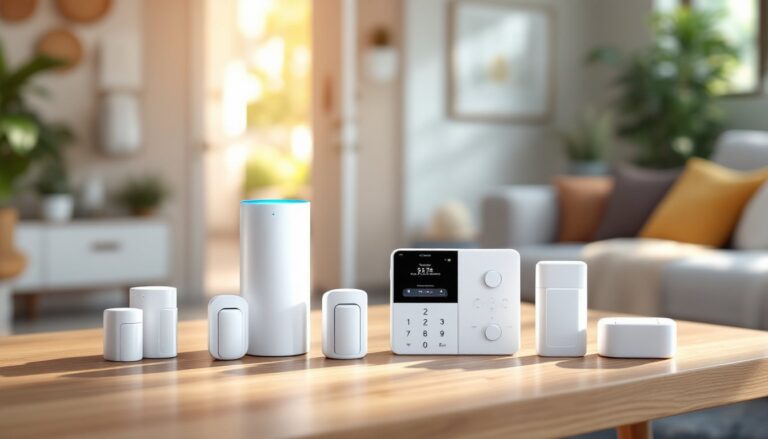
Cove’s core package includes a touchscreen control panel, door/window sensors, a motion detector, and optional add-ons like glass break sensors, flood detectors, and smart locks. The panel runs on a lithium-ion battery with AC power backup. If you cut power to the house, the panel alerts the monitoring center immediately.
Key Features and Technology
Cove leans on cellular connectivity as its primary communication method, using AT&T’s network for signal redundancy. Wi-Fi serves as a secondary channel. This dual-path approach reduces the risk of signal jamming or internet outages disabling your system, a vulnerability in Wi-Fi-only setups.
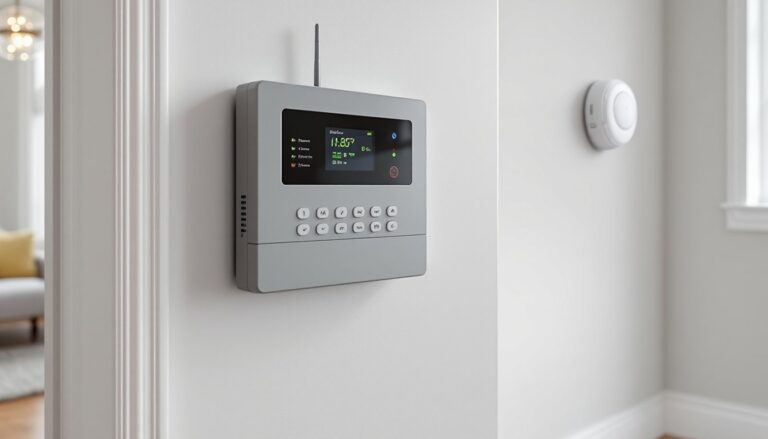
The touchscreen panel functions as the system’s hub. It’s a 7-inch color display with intuitive icons for arming, disarming, and viewing sensor status. You can control the system via the panel, a wireless key fob, or the Cove mobile app (iOS and Android). The app sends real-time alerts when doors open, motion is detected, or the alarm trips. You’ll also get notifications for low batteries and offline sensors.
Smart home integration covers Amazon Alexa and Google Assistant for voice arming and disarming. Cove’s system doesn’t natively support smart thermostats or lighting, so if you’re building a full home automation ecosystem, you’ll need separate platforms. The system does integrate with Cove’s proprietary smart locks and cameras, which sync directly through the panel.
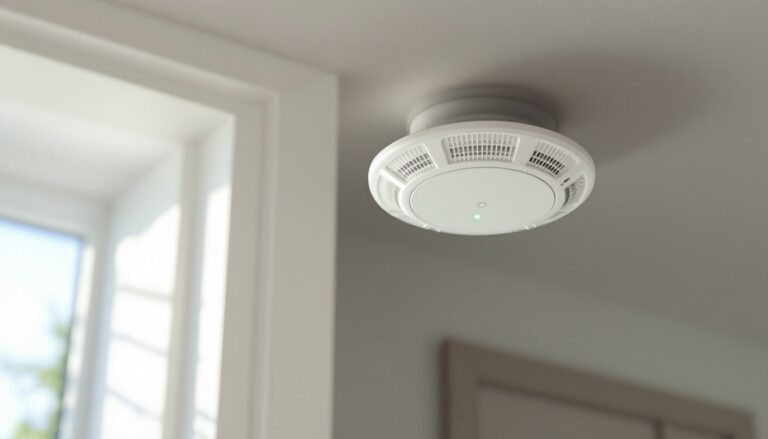
Environmental monitoring is available through optional sensors. Flood detectors alert you to water leaks in basements or near water heaters. Carbon monoxide and smoke detectors tie into the alarm system, triggering both local sirens and monitoring center dispatch. These sensors meet UL 217 (smoke) and UL 2034 (CO) standards, which is important for insurance and code compliance in many jurisdictions.
Cove’s sensors use encrypted signals to communicate with the panel, reducing the risk of hacking or spoofing. The panel itself has a tamper alert, if someone yanks it off the wall, the monitoring center gets pinged.
Installation and Setup Process
Cove ships with everything pre-paired to the control panel, so there’s no network configuration or device enrollment. The installation process is straightforward, but precision matters, sensors placed incorrectly can cause false alarms or miss intrusions.
Materials and Tools You’ll Need:
- Control panel and sensors (included)
- 3M adhesive strips (included) or screws (also included)
- Drill with 1/8-inch bit (if mounting with screws)
- Level (optional but recommended)
- Measuring tape
- Smartphone with the Cove app installed
Step-by-Step Installation:
-
Position the control panel near an outlet and within 50 feet of entry points for reliable sensor communication. The panel works on walls or countertops. If wall-mounting, use the included bracket and screws. A level ensures the touchscreen sits square, crooked panels look sloppy and can stress mounting points.
-
Mount door/window sensors on the frame (magnet) and door (sensor body). The two pieces should align within 1/2 inch when the door closes. Most false alarms come from misaligned magnets. Use adhesive strips for quick install or screws for permanent hold. Screws are better on heavy doors or high-traffic entries.
-
Place motion detectors in corners facing entry points, 6 to 8 feet off the floor. Avoid aiming them at windows, HVAC vents, or heat sources, temperature shifts can trigger false alerts. Many wired home alarm systems require routing cable through ceilings, but Cove’s wireless sensors stick or screw directly to drywall.
-
Test each sensor using the panel’s walk test mode. Open and close doors, walk past motion zones, and verify the panel registers each event. If a sensor shows offline, check battery seating or move the panel closer.
-
Activate monitoring through the Cove app. You’ll enter your address, set up a PIN, and designate emergency contacts. The system is live as soon as you arm it.
Installation typically takes 60 to 90 minutes for a standard home with 10 sensors. Add time for running into studs or needing to relocate sensors. If you’re adding glass break sensors, mount them on walls within 20 feet of windows. They detect the frequency of breaking glass, not vibration, so placement matters.
Safety Note: If integrating smoke or CO detectors, test them monthly and replace batteries annually. These devices save lives, so treat them seriously. Cove’s detectors have a 10-year sealed battery and should be replaced after a decade, per manufacturer guidelines and most local codes.
Pricing and Monitoring Plans
Cove operates on a model where you purchase equipment upfront and pay monthly for monitoring. There’s no contract, so you can cancel monitoring anytime, though the system loses most functionality without it, it becomes a local alarm without dispatch.
Equipment Costs (2026 Pricing):
- Basic package (panel, 2 door sensors, 1 motion detector): ~$300
- Additional door/window sensors: ~$25 each
- Glass break sensor: ~$45
- Smoke/CO detector: ~$60
- Flood sensor: ~$40
- Indoor camera: ~$70
Prices fluctuate with promotions. Cove frequently runs deals offering free equipment with prepaid monitoring, so check current offers.
Monitoring Plans:
- Basic Monitoring: $17.99/month. Includes 24/7 professional monitoring with police/fire dispatch, cellular backup, and mobile app access.
- Plus Plan: $27.99/month. Adds smart home integration, video storage (if you have cameras), and environmental monitoring (smoke, CO, flood).
Both plans are month-to-month. You can upgrade or downgrade without penalty.
What You’re Paying For:
Monitoring centers staff trained operators who verify alarms before dispatching. When a sensor trips, the panel calls the center via cellular. Operators call your primary contact, then secondary contacts, and finally dispatch authorities if no one responds. This reduces false alarm fines, many municipalities charge $50 to $200 per false dispatch after the first or second incident.
Compare this to self-monitoring Ring Home Alarm setups, which send alerts to your phone but don’t dispatch help unless you call. That’s fine if you’re always available, but less reliable during travel or emergencies.
Cove’s equipment quality sits mid-range. The sensors are plastic, not metal, but they’re functional and UL-listed where applicable. If you want premium hardware, expect to pay more. Battery life averages 3 to 5 years for door sensors, 2 to 3 years for motion detectors, depending on traffic and signal strength. Replacement batteries are standard CR123A lithium cells, available at hardware stores or online.
Pros and Cons for Homeowners
Pros:
- No contract required. You’re not locked into multi-year agreements. Cancel anytime without penalties.
- DIY-friendly installation. No need to schedule technician visits or take time off work. Pre-paired sensors save configuration headaches.
- Cellular backup. If someone cuts your internet line, the system still communicates. This beats Wi-Fi-only systems.
- Expandable. Start with a basic kit and add sensors as needed. Useful for phased upgrades or testing before committing.
- Environmental sensors. Flood, smoke, and CO detection tie into the same monitoring, consolidating alerts.
Cons:
- Monthly fees add up. Over five years, you’ll pay over $1,000 in monitoring costs. Compared to traditional ADT Home Alarm contracts that bundle equipment and monitoring, Cove splits costs differently, neither is inherently cheaper.
- Limited smart home integration. If you’re running Philips Hue, Nest thermostats, or Z-Wave devices, Cove won’t control them. You’ll need separate hubs or platforms.
- Plastic construction. Sensors feel lighter and less durable than metal-bodied units on higher-end systems. They’ll handle normal use but won’t take abuse.
- App interface is basic. It’s functional but lacks polish. No customizable automation routines or advanced scheduling. You arm, disarm, and check status, that’s it.
- Battery replacement burden. Every sensor eventually needs a new battery. In a 15-sensor home, that’s maintenance every few years. Track battery levels through the app to avoid dead sensors.
For homeowners prioritizing flexibility and upfront control, Cove works well. If you want deep smart home integration or premium hardware, look elsewhere.
How Cove Compares to Other DIY Security Systems
Cove sits in a competitive field. Comparing features, costs, and ecosystems helps clarify where it excels and where it falls short.
Cove vs. Ring Alarm: Ring costs less upfront (~$200 for a base kit) and integrates tightly with Ring’s video doorbells and cameras. Monitoring is $20/month for the top tier. But, Ring relies heavily on Wi-Fi, with cellular backup as an add-on. Cove’s built-in cellular gives it an edge in reliability. If you’re already invested in Amazon/Ring devices, stick with Ring. If you want stronger cellular backup and standalone security, Cove wins. Independent reviews from CNET rank both highly but note Cove’s monitoring quality edge.
Cove vs. SimpliSafe: SimpliSafe offers broader smart home compatibility and more sensor variety (key fob panic buttons, extra siren options). Monitoring starts at $17.99/month, matching Cove. SimpliSafe’s equipment is slightly more robust, with metal housings on select sensors. SimpliSafe also offers outdoor cameras and a more refined app. Cove counters with better customer service reviews and simpler setup. Choose SimpliSafe if you want more hardware options: choose Cove if you value streamlined support.
Cove vs. ADT (Professional Install): ADT requires professional installation and long-term contracts (typically 36 months). Equipment costs are rolled into the contract or leased. ADT’s monitoring is pricier ($45 to $60/month) but includes technician service calls and equipment warranties. If you want hands-off setup and don’t mind contracts, ADT fits. Cove is for homeowners who prefer autonomy and lower monthly costs.
Cove vs. Abode: Abode supports Z-Wave and Zigbee devices, making it ideal for smart home enthusiasts. You can self-monitor for free or add professional monitoring for $20/month. Abode’s flexibility is unmatched, but setup requires more technical knowledge. Cove’s pre-paired sensors are easier for beginners.
According to a detailed review from Tom’s Guide, Cove’s standout feature is its balance between simplicity and professional-grade monitoring. It won’t replace a full smart home platform, but it excels as a dedicated security system. Similarly, Digital Trends highlights Cove’s reliable monitoring and straightforward app, though they note limitations in automation.
For context, systems like Google Home Alarm lean heavily on ecosystem integration with Nest devices, while Honeywell Home Alarm caters to traditional wired setups. Cove occupies the middle ground, modern wireless tech without requiring a tech degree to configure.
Conclusion
Cove delivers reliable home security without contracts or professional installers. Its cellular backup, straightforward setup, and 24/7 monitoring suit homeowners who want control and flexibility. The system isn’t perfect, limited smart home integration and plastic hardware are trade-offs, but for core security functions, it performs well. If you’re upgrading from basic locks or replacing an outdated wired system, Cove offers a practical middle path. Assess your priorities, budget for ongoing monitoring, and factor in future expansion needs before committing.